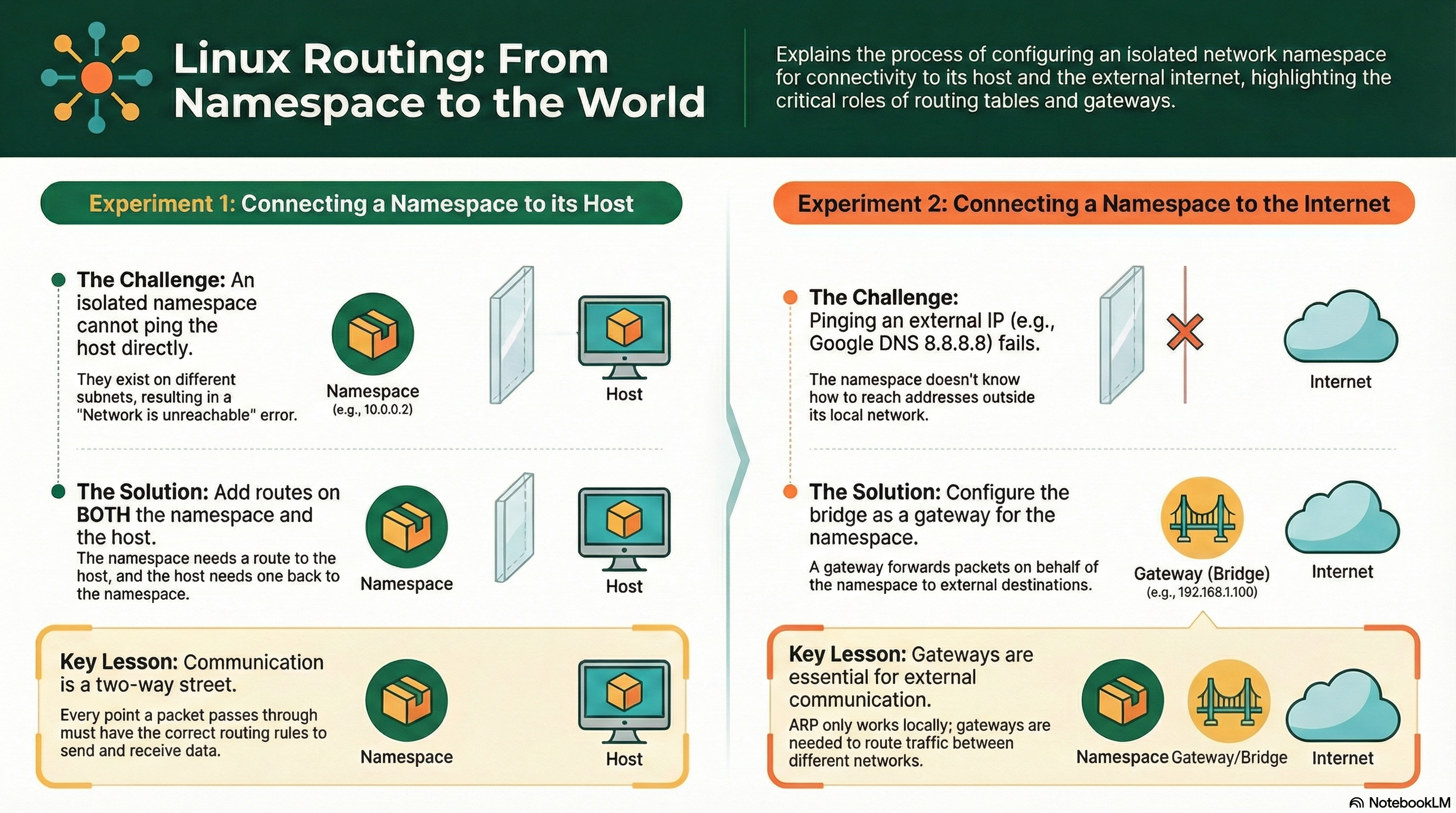
Linux Routing Deep Dive: Gateway Secrets and External Connectivity
This post is part of the Container Networking From Scratch series — follow a packet’s path through the Linux kernel, from namespaces to NAT.
Most engineers know how to assign an IP address to a container. Fewer can explain how that packet actually leaves the host and reaches the internet.
This guide walks step-by-step through:
- Building a namespace connected to a bridge
- Setting a default gateway
- Enabling forwarding
- Configuring NAT (masquerading)
- Debugging asymmetric routing failures
All commands include example outputs so you can follow and compare with your own lab.
The Invisible Hand of the Gateway
Containers are not magic. They share the host kernel.
When a container sends traffic to the internet:
- It sends the packet to its default gateway.
- The bridge passes it to the host.
- The host forwards it to its physical interface.
- NAT rewrites the source IP.
- The internet replies to the host.
- The host maps the reply back to the container.
If any step fails, traffic dies silently.
Lab Architecture
Environment:
- Ubuntu 24.04
- Clean host (no firewall rules interfering)
Components:
| Component | Role |
|---|---|
| ns1 | Simulated container |
| br0 | Virtual switch (10.22.33.1/24) |
| eth0 | Host internet interface |
| 8.8.8.8 | External test target |
Goal:
Send ICMP from ns1 to 8.8.8.8 and receive reply.
Step 1: Create Namespace
$ sudo ip netns add ns1Verify:
$ ip netns list
ns1
Step 2: Create Bridge
$ sudo ip link add br0 type bridge
$ sudo ip addr add 10.22.33.1/24 dev br0
$ sudo ip link set br0 up
Verify:
$ ip -br addr show br0
br0             UP             10.22.33.1/24
Step 3: Create VETH Pair
$ sudo ip link add veth0 type veth peer name veth1Attach one end to bridge:
$ sudo ip link set veth0 master br0
$ sudo ip link set veth0 up
Move other end to namespace:
$ sudo ip link set veth1 netns ns1Step 4: Configure Interface Inside Namespace
Rename to eth0 (optional but realistic):
$ sudo ip netns exec ns1 ip link set veth1 name eth0Assign IP:
$ sudo ip netns exec ns1 ip addr add 10.22.33.2/24 dev eth0
$ sudo ip netns exec ns1 ip link set eth0 up
$ sudo ip netns exec ns1 ip link set lo up
Verify:
$ sudo ip netns exec ns1 ip -br addr
lo               UNKNOWN        127.0.0.1/8 ::1/128
eth0             UP             10.22.33.2/24
Step 5: Test Local Connectivity
Ping bridge:
$ sudo ip netns exec ns1 ping 10.22.33.1
64 bytes from 10.22.33.1: icmp_seq=1 ttl=64 time=0.080 ms
Local subnet works.
Step 6: Try Reaching the Internet (It Fails)
$ sudo ip netns exec ns1 ping 8.8.8.8
connect: Network is unreachable
Check routing table:
$ sudo ip netns exec ns1 ip route show
10.22.33.0/24 dev eth0 proto kernel scope link src 10.22.33.2
There is no default route.
Step 7: Add Default Gateway
$ sudo ip netns exec ns1 ip route add default via 10.22.33.1Verify:
$ sudo ip netns exec ns1 ip route show
default via 10.22.33.1 dev eth0
10.22.33.0/24 dev eth0 proto kernel scope link src 10.22.33.2
Now try ping again:
$ sudo ip netns exec ns1 ping 8.8.8.8It still fails.
Why?
Because the host is not forwarding packets.
Step 8: Enable IP Forwarding on Host
Check current value:
$ sysctl net.ipv4.ip_forward
net.ipv4.ip_forward = 0
Enable it:
$ sudo sysctl -w net.ipv4.ip_forward=1
net.ipv4.ip_forward = 1
Try again:
$ sudo ip netns exec ns1 ping 8.8.8.8You may see packets leaving but no reply.
The Asymmetric Routing Problem
Run tcpdump on host:
$ sudo tcpdump -i eth0 icmp
IP <host-public-ip> > 8.8.8.8: ICMP echo request
Packet leaves.
But reply never reaches ns1.
Why?
Because the internet does not know how to route back to:
10.22.33.2This is a private subnet.
We need NAT.
Step 9: Configure NAT (Masquerading)
Add masquerade rule:
$ sudo iptables -t nat -A POSTROUTING -o eth0 -j MASQUERADEWhat this does:
- Rewrites source IP of packets leaving eth0
- Replaces 10.22.33.2 with host public IP
- Uses conntrack to remember mapping
Step 10: Test Again
$ sudo ip netns exec ns1 ping 8.8.8.8
PING 8.8.8.8 (8.8.8.8) 56(84) bytes of data.
64 bytes from 8.8.8.8: icmp_seq=1 ttl=117 time=14.2 ms
64 bytes from 8.8.8.8: icmp_seq=2 ttl=117 time=13.8 ms
Now it works.
What the Kernel Did Internally
When packet leaves ns1:
- FIB lookup → default via 10.22.33.1
- Bridge forwards to host
- Host receives packet
- Kernel checks: is it local? No.
- ip_forward=1 → allowed to route
- NAT rule modifies source IP
- Packet exits via eth0
When reply returns:
- Conntrack matches reply to NAT entry
- Destination rewritten back to 10.22.33.2
- Forwarded to bridge
- Delivered to ns1
Without NAT:
The reply would target host public IP only, not the namespace.
Real Production Failure: The Black Hole Pod
Symptoms in Kubernetes:
- Pod cannot reach external API
- Node can reach API
- DNS works internally
- No application errors besides timeout
Common causes:
net.ipv4.ip_forward=0- Missing SNAT rule in POSTROUTING
- Conntrack table full
Check forwarding:
$ sysctl net.ipv4.ip_forwardCheck NAT rules:
$ sudo iptables -t nat -L -n -vCheck conntrack usage:
$ cat /proc/sys/net/netfilter/nf_conntrack_count
$ cat /proc/sys/net/netfilter/nf_conntrack_max
If count equals max → new connections dropped silently.
Performance and Optimization
Conntrack Tuning
Increase limit:
$ sudo sysctl -w net.netfilter.nf_conntrack_max=262144Reduce Timeouts (advanced tuning)
High-traffic systems benefit from shorter established timeouts.
eBPF-Based Networking
Modern CNIs like Cilium bypass heavy iptables chains using eBPF to reduce lookup overhead and improve performance.
Mental Model: The Relay Race
Namespace → Bridge → Host Forwarding → NAT → Internet → NAT → Host → Bridge → Namespace
If:
- No default route → race never starts
- ip_forward=0 → baton dropped at host
- No NAT → reply lost on return
- Conntrack full → race blocked
Every runner must exist.
Final Summary
You now understand:
- How a namespace reaches external networks
- Why a default gateway is required
- Why forwarding must be enabled
- Why NAT is mandatory for private subnets
- How conntrack enables return traffic
- How to debug asymmetric routing failures
This is the real packet path behind every Kubernetes pod that talks to the internet.
When you understand this flow, you stop blaming the API server and start fixing the kernel.